
Echogrove Beta Update #2
v1.0.5 is here — and it’s about control


Previous updates:
Your cloud.
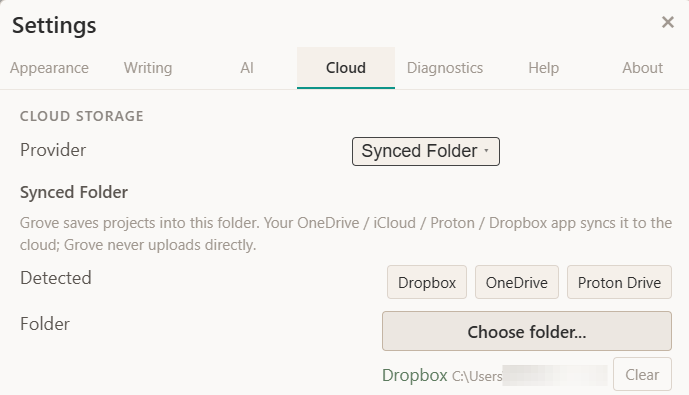
A current beta tester asked about supporting Proton Drive because until now, syncing a project meant Google Drive. That still works exactly as before, but it’s no longer the only option.
You can now copy a project to any synced folder on your computer: OneDrive, iCloud Drive, Proton Drive, Dropbox, or a plain folder you back up however you like. EchoGrove writes the project there, and your existing cloud app does what it already does, moving the file up and down to your other machines.
What that means in practice:
No lock-in. If you already pay for iCloud or Proton, use it. You don’t need a Google account.
Privacy by choice. Prefer an end-to-end-encrypted provider like Proton? Your manuscript can live there.
No new logins. It rides your existing setup — no new place to sign in, no new service to manage.
You pick the provider once in Settings → Cloud and switch whenever you like.
Run AI on your own machine
This one has been planned since before the beta started.
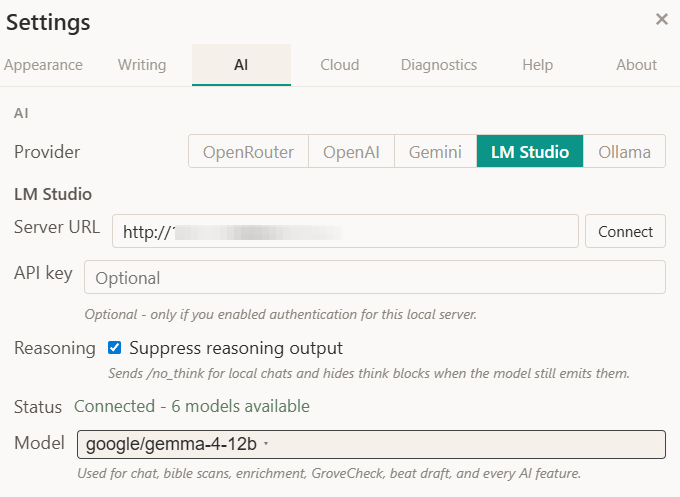
EchoGrove can now connect to an AI model running locally on your computer, through tools like LM Studio or Ollama. Once it’s connected, that local model powers everything the cloud models do: chat, story bible analysis, continuity checks, all of it.
Why implement it:
Your words never leave your machine. Nothing is uploaded. The manuscript stays on your hard drive. Total privacy.
No running cost. Once the model is on your computer, there’s no meter running - bible scans and chats as often as you want.
Works offline. On a plane, in a cabin, no signal at all - it still works.
Reaches across your home network. Got a beefier machine in the next room running the model? EchoGrove on your laptop can use it over your local network. To test I ran EchoGrove on my Windows PC, with my MacBook Pro m5 powering the AI.
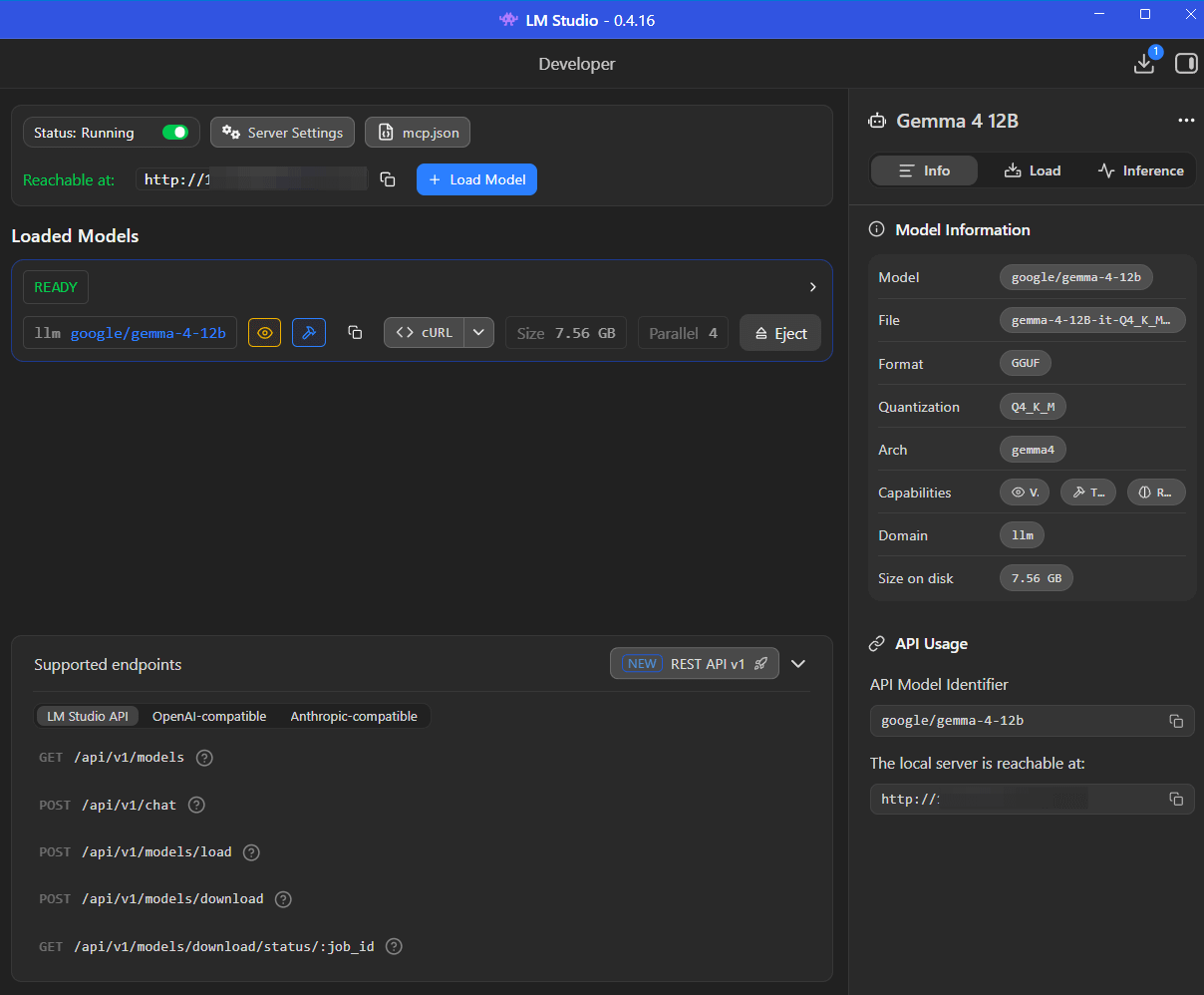
One thing worth being honest about: local models are not the same as the frontier cloud models. Running AI on your own machine means running something smaller, and the quality of responses and the speed at which they arrive will depend heavily on your hardware: how much RAM you have, whether your machine has a capable GPU, and which model you choose to run. On a modern, reasonably specced machine you'll get solid results. On older or lower-powered hardware, responses may be slower and some of the larger, more capable local models may not run comfortably at all. LM Studio and Ollama both give you a wide range of models to choose from, so you can find something that fits what your machine can handle — but it's worth going in with realistic expectations. If you want the sharpest output and fastest responses, the cloud providers are still the stronger option. Local AI is about privacy and independence, not about matching GPT-4 on a five-year-old laptop.
For easy, simple workflows, I have implemented a ‘thinking’ toggle for faster throughput. For more nuanced replies, thinking can be switched on.
Cloud AI (OpenRouter, OpenAI, Gemini) is still fully supported. Local is just a new path for anyone who wants it — private, offline, and free to run once you’re set up.
Want to test EchoGrove?
If you would like to test the app, on Windows or MacOS, send me a direct message here or in the Discord server with an email address to link a key to, and I’ll get you set up.
v1.0.5 installers for both Windows and MacOS are now available.
The EchoGrove Beta Discord
To make it easier to chat, report bugs, share feature ideas, and tell me how the app is handling your writing workflow, I’ve set up a dedicated EchoGrove Discord Server.
If you are an active beta tester (or just want to watch the development closely), come join the conversation here.

 | A guest post by
|